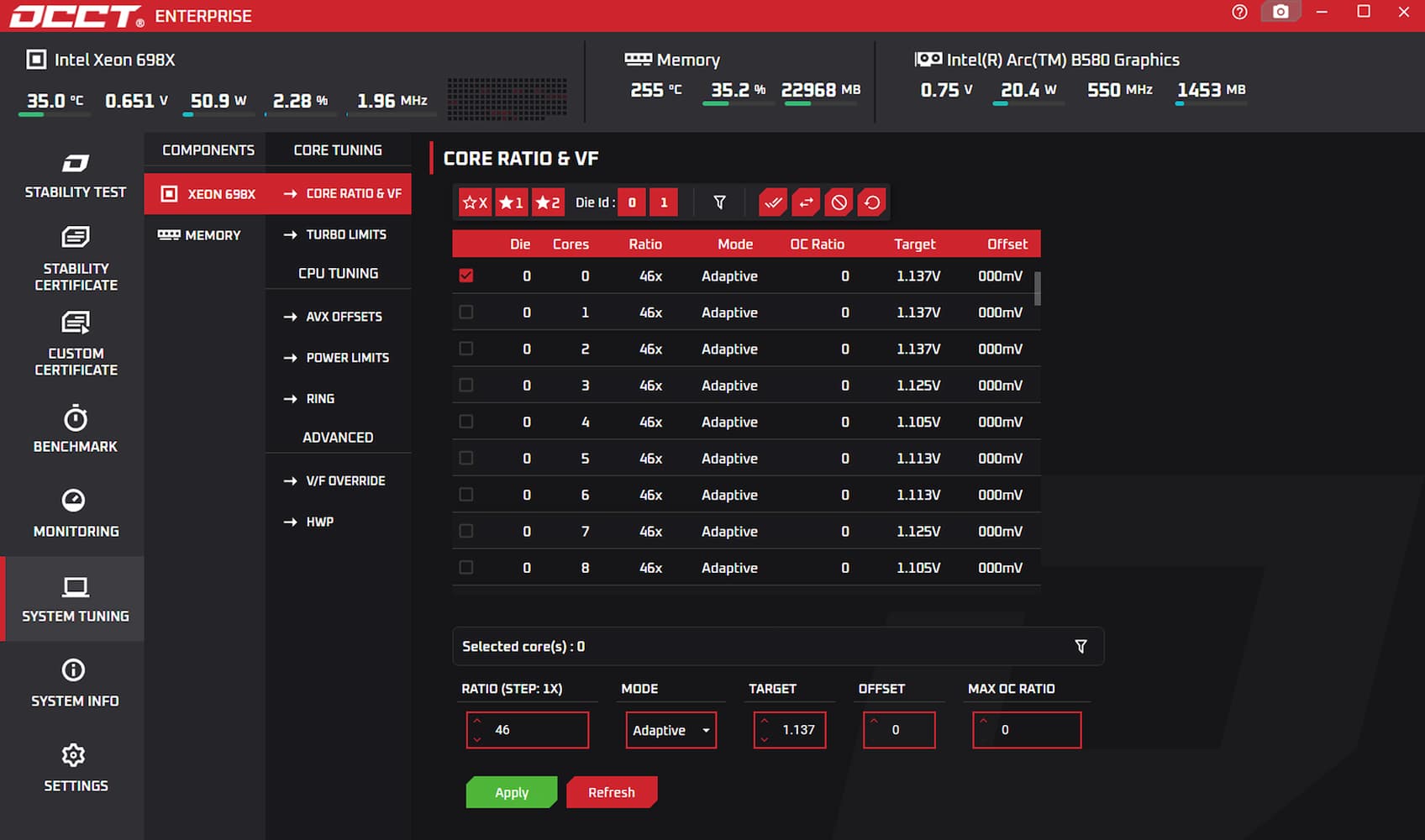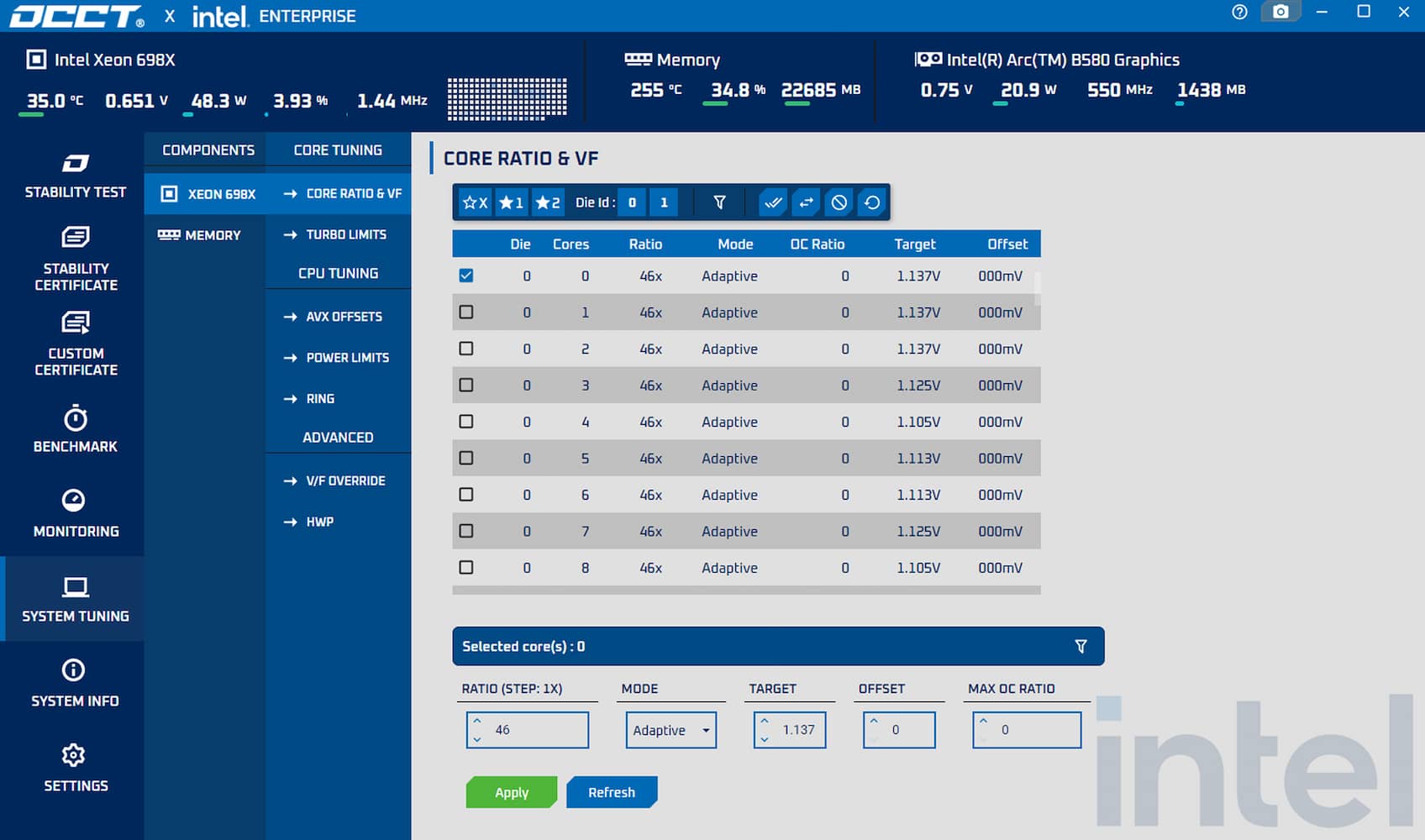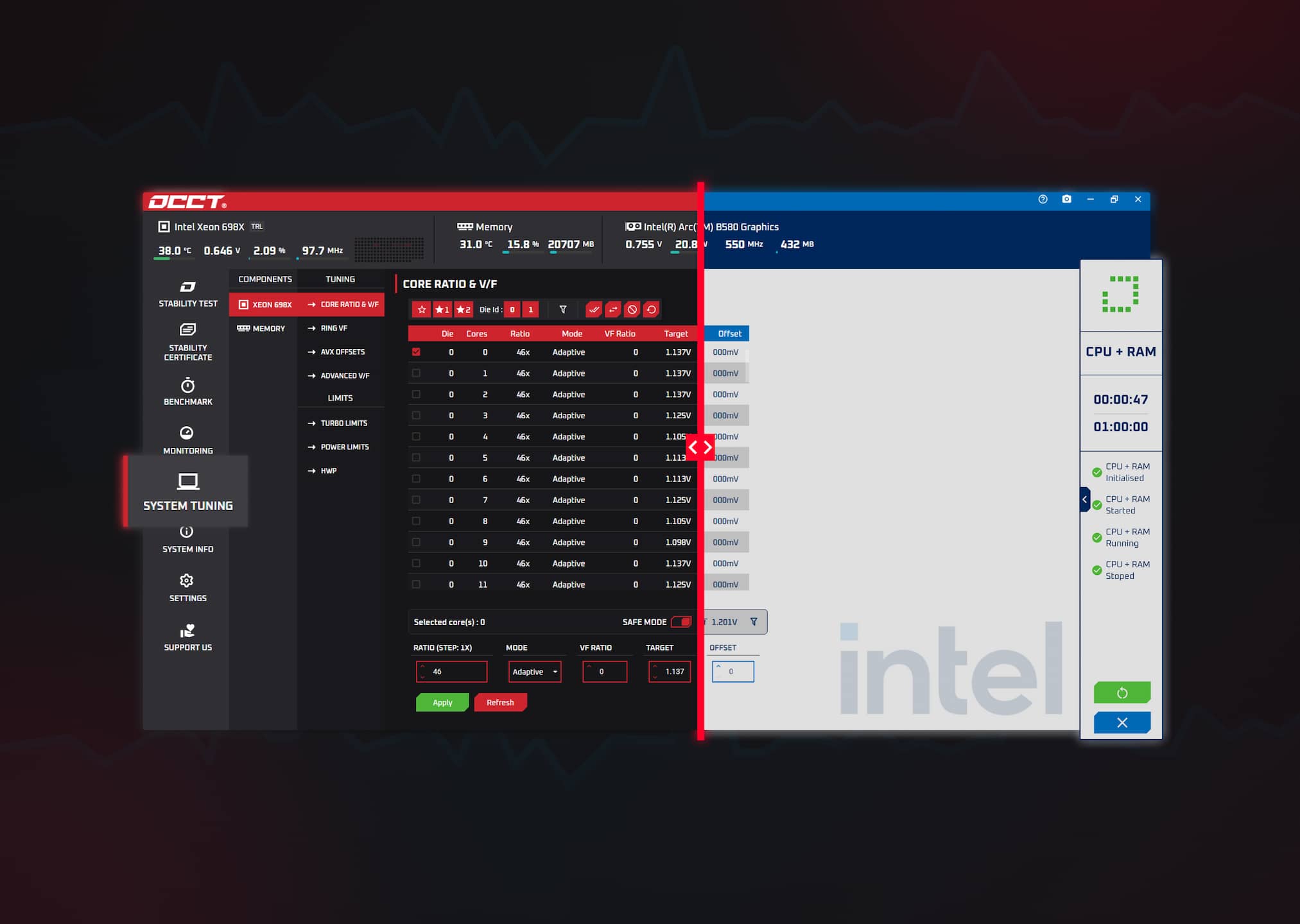
The previously announced System Tuning tool is now officially available in OCCT v16 for both Windows and Linux. The brand-new Intel skin for OCCT is also joining the release.
Starting with Intel Granite Rapids
The new processor tuning tool currently supports the latest Intel Granite Rapids CPUs as part of our ongoing collaboration with Intel. We can already confirm that support for Arrow Lake CPUs will be available in the coming weeks through an open beta, extending access to a broader range of users.
While support is currently limited to Intel CPUs in the short term, we recognize that this excludes a significant portion of users. Expanding compatibility remains a top priority, and our objective is to support as many CPU generations and vendors as possible.
Intel provided us with the technical documentation required to implement this level of deep integration. To offer the same quality of support for other manufacturers, we would need equivalent access to their documentation, and we are actively working to obtain it.
System tuning in OCCT: combining stability and tuning in a single workflow
The new System Tuning tool is fully integrated into OCCT on both Windows and Linux. Our goal is simple: provide a streamlined, reliable, and professional tuning experience.
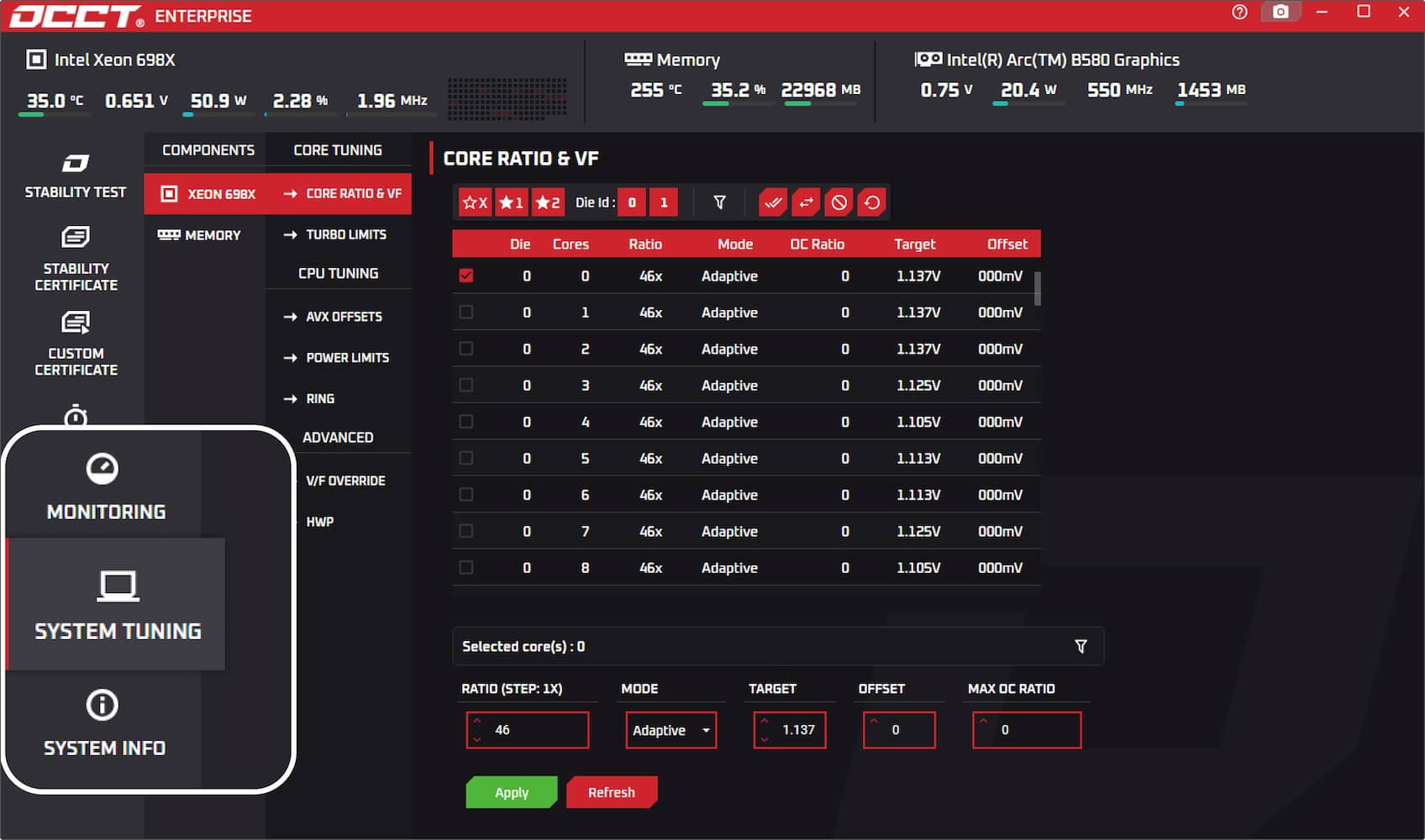
From this section, you can:
- Tune supported CPUs (starting with Granite Rapids) directly within OCCT
- Combine CPU tuning and stress testing inside a single application
- Adjust per-core frequencies with fine-grained 16.6 MHz steps (for upcoming Arrow Lake support)
- Benefit from built-in safeguards for beginners while retaining full control for advanced overclockers
Contrary to external tuning utilities, OCCT's tuning tool is fully integrated into the OCCT ecosystem, allowing users to seamlessly manage performance adjustments alongside OCCT's stress tests, enabling real-time tuning and immediate stability verification without switching applications.
Rather than juggling multiple tools, users benefit from a workflow built around clarity, precision, and reliability. This approach enables significantly faster iteration between tuning and validation, which is critical when pushing hardware to its limits, while offering fine-grained control over every aspect of the overclocking process.
Available on both Windows and Linux, this also marks the first time a fully integrated CPU tuning tool of this kind has been brought to Linux within OCCT.
Safeguards in place
Since this tool allows users to directly adjust settings that may impact system stability, a Safe Mode toggle is enabled by default. While it is active, the maximum voltage that can be set is limited. Given the technical nature of the parameters involved, we will be releasing additional information and tutorials for beginners in the coming weeks.
Advanced users will, of course, be able to disable this limitation and fine-tune settings as they see fit.
A new UI was needed
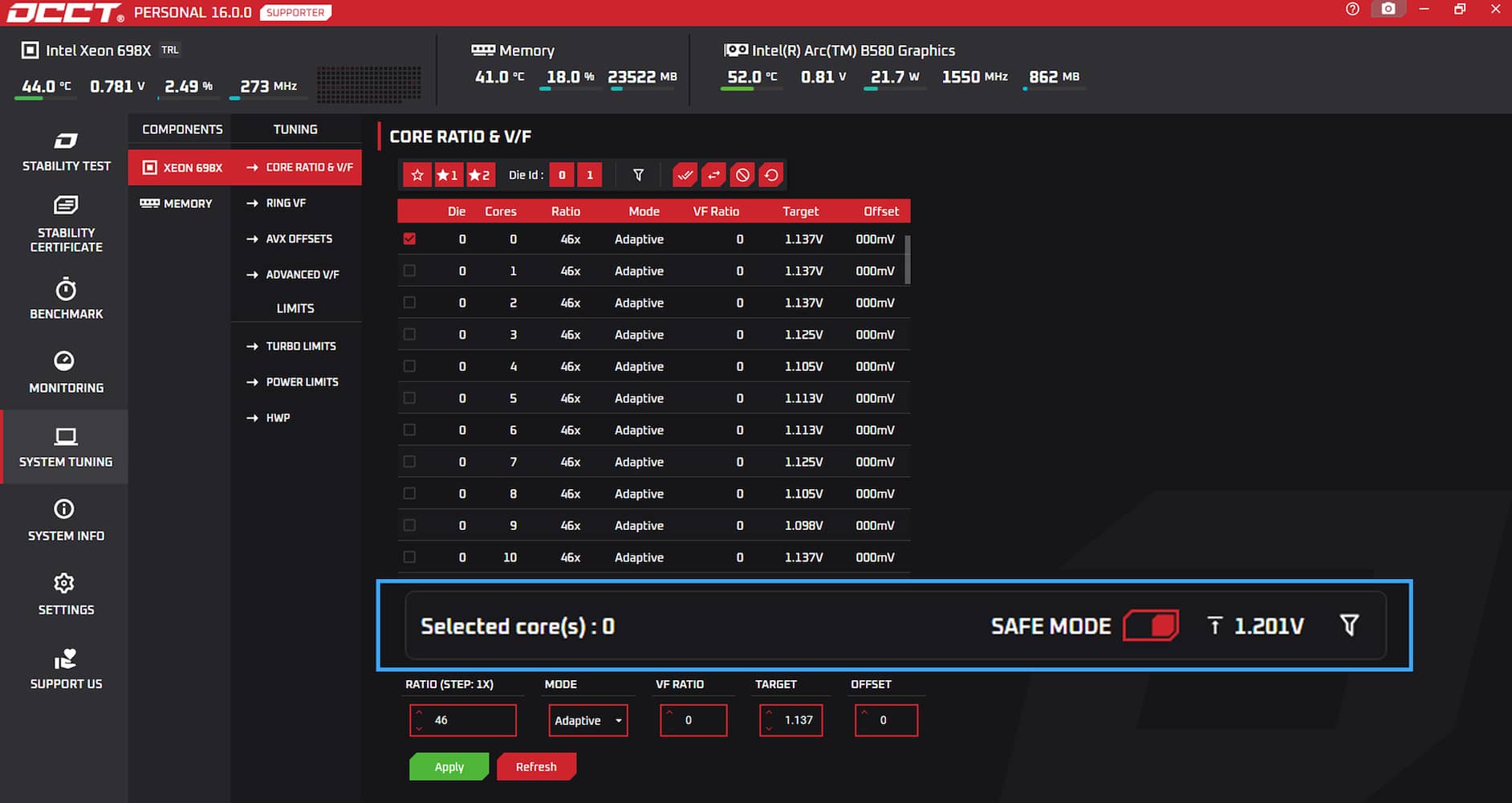
Introducing live CPU parameter adjustments while a stress test is running required significant UI improvements.
The ongoing test window has been moved to the right side as a dedicated, collapsible panel. This allows users to monitor detailed test information while simultaneously accessing tuning controls.
While the layout may feel different for long-time OCCT users, this redesign was necessary to preserve clarity and readability. It also ensures we can continue expanding the software with new features without compromising usability.
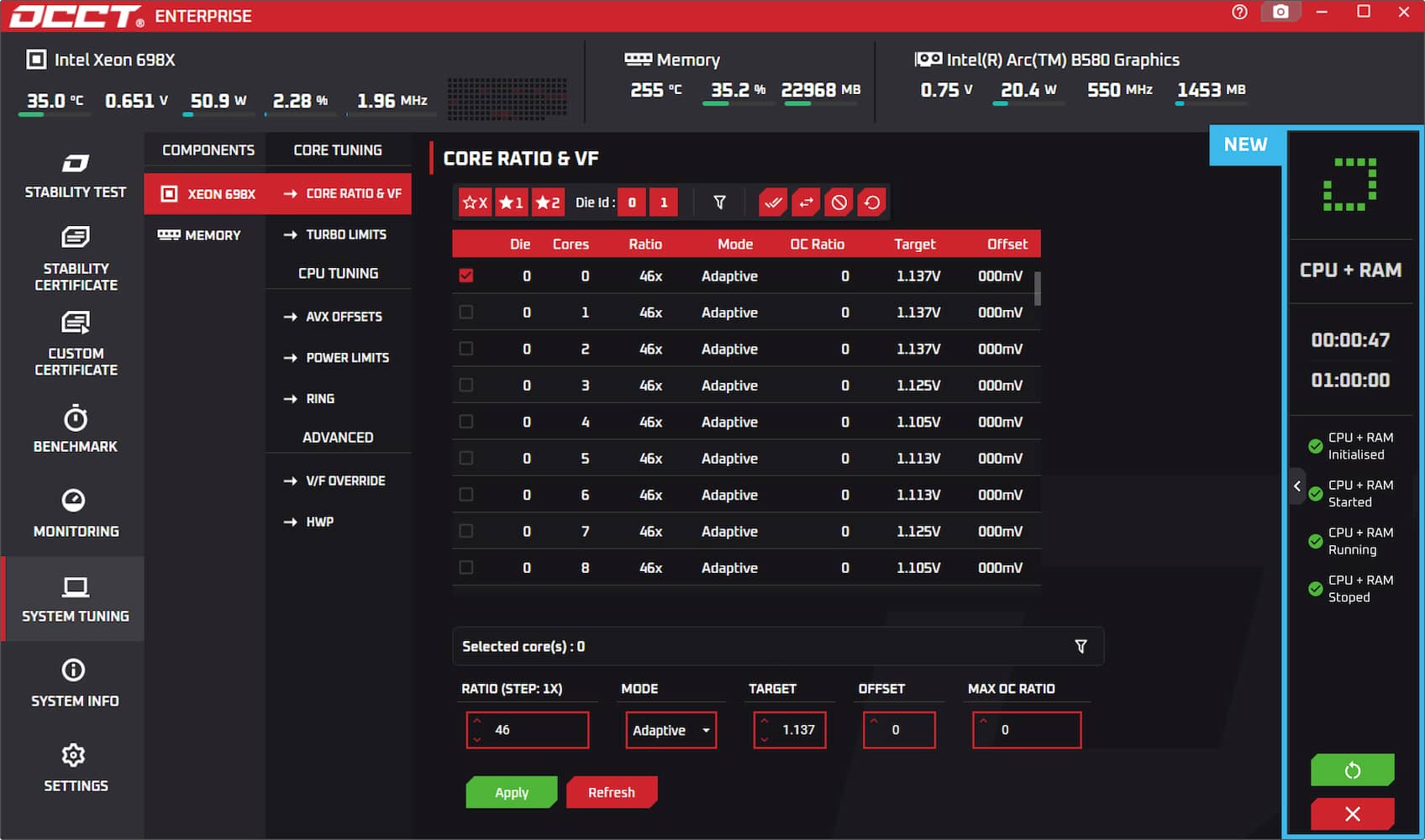
New Intel skin
Alongside the System Tuning tool, we are releasing a brand-new Intel skin for OCCT.
Users can now apply Intel's colors to OCCT by downloading the skin from the OCCT download page or selecting it directly from the settings menu.